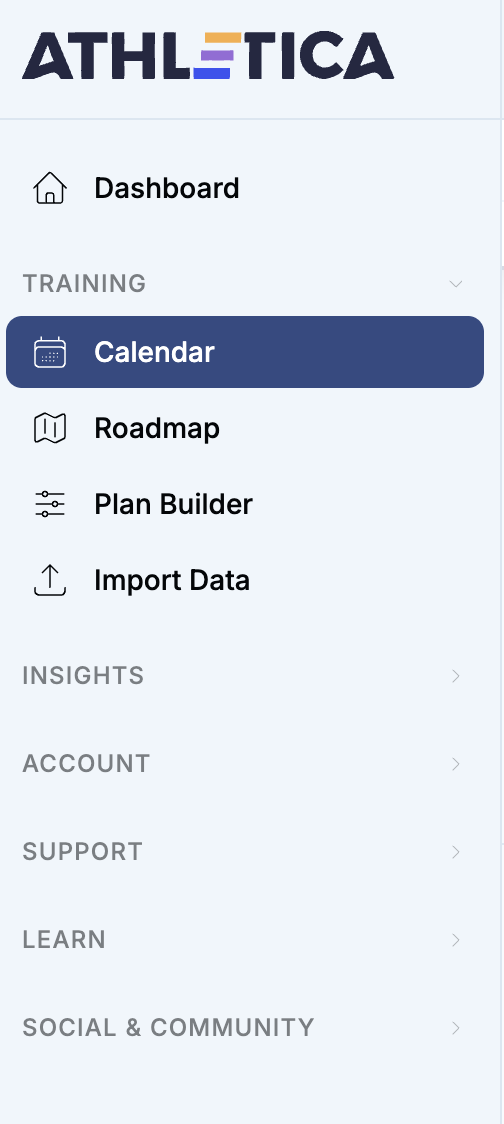
The ability to manually upload an unrecorded workout is absent in the new UI. Typically located in the top right corner of that days session with the “three dots.” Is this no longer included or located elsewhere?
Hi Robert,
Thank you for the recommendation, from what I can tell that option would be used when I have a recorded data file that needs to be manually uploaded.
What I’m looking to do is manually enter an unrecorded session, specifically a stretching/yoga session. My Garmin Forerunner is an older model (920XT) and doesn’t have an activity profile for that type of workout. This functionality was available in the previous UI of the Athletica website version only.
Because of this, I’ve been manually inputting the time of day the session was completed, total time, how I felt, RPE and a short summary so Athletica calculate the session appropriately.
Thank you again for your help.
-Joe
I have an older watch too, and a workaround is to manually add the activity in Strava. If you don’t want these sessions public, you can make it a “private” session. Then the activity will pop over to Athletica.
1 Like
I struggled with exactly this issue too, but eventually stumbled across the solution. You need to click on the text which names the workout (in my case these workouts are named “Threshold”, “Aerobic Development”, “Short HIIT 30/30”, etc.), and that brings up a window with the “Add Data” option appearing as its own button.
So the option still exists to upload manually, but it has moved. And I couldn’t find any documentation which states where the option is now to be found.
But there is another very real issue that means that for some/many people, me included, when you actually upload a file the site shows “Missed” and shows none of the details. By the next day the details are visible. This issue is covered here: Since the new update, can't upload .fit files to add data to workouts - #14 by pooka
2 Likes
Hello and sorry for a very late reply here.
You can absolutely manually add workouts.
Calendar view → hit that plus sign → add training session → create custom
add title, short description and hit create session
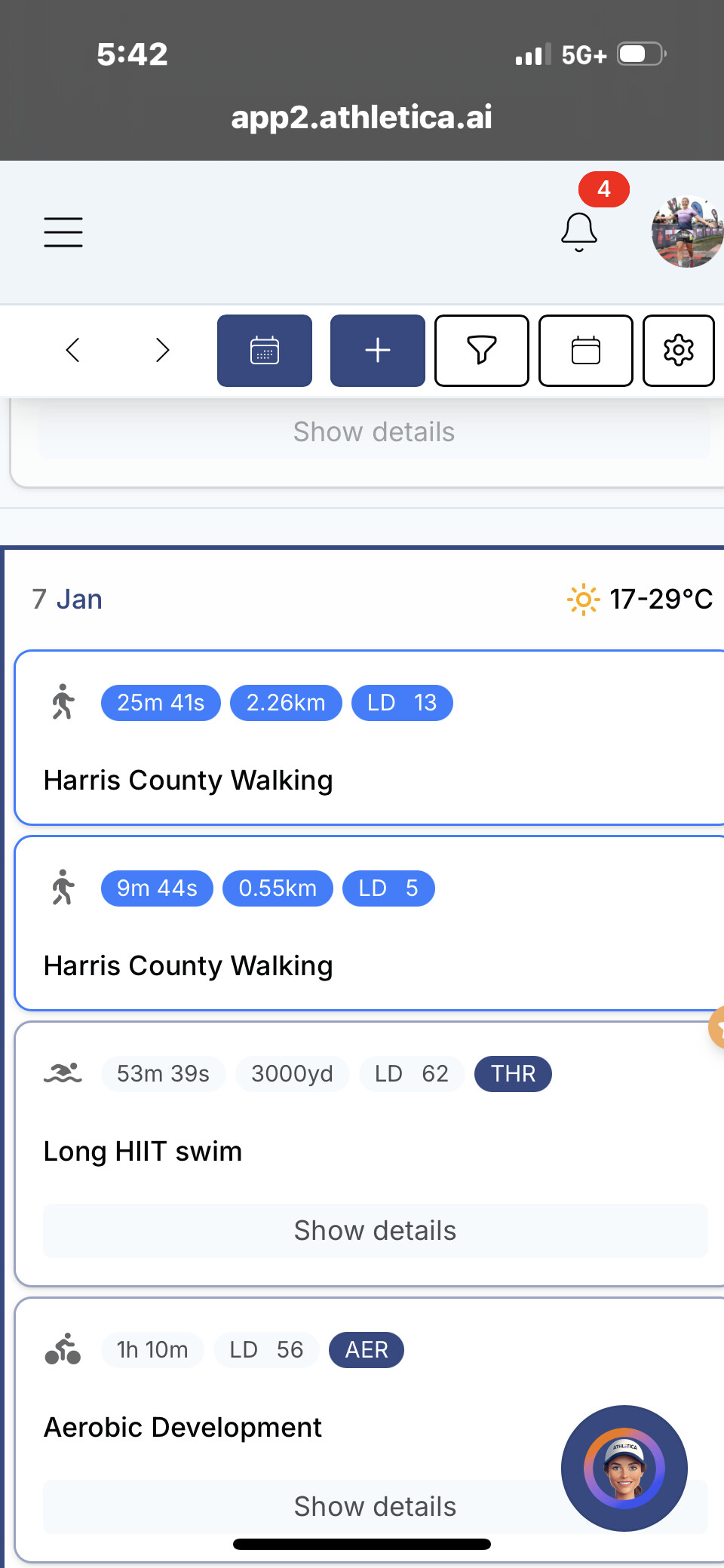
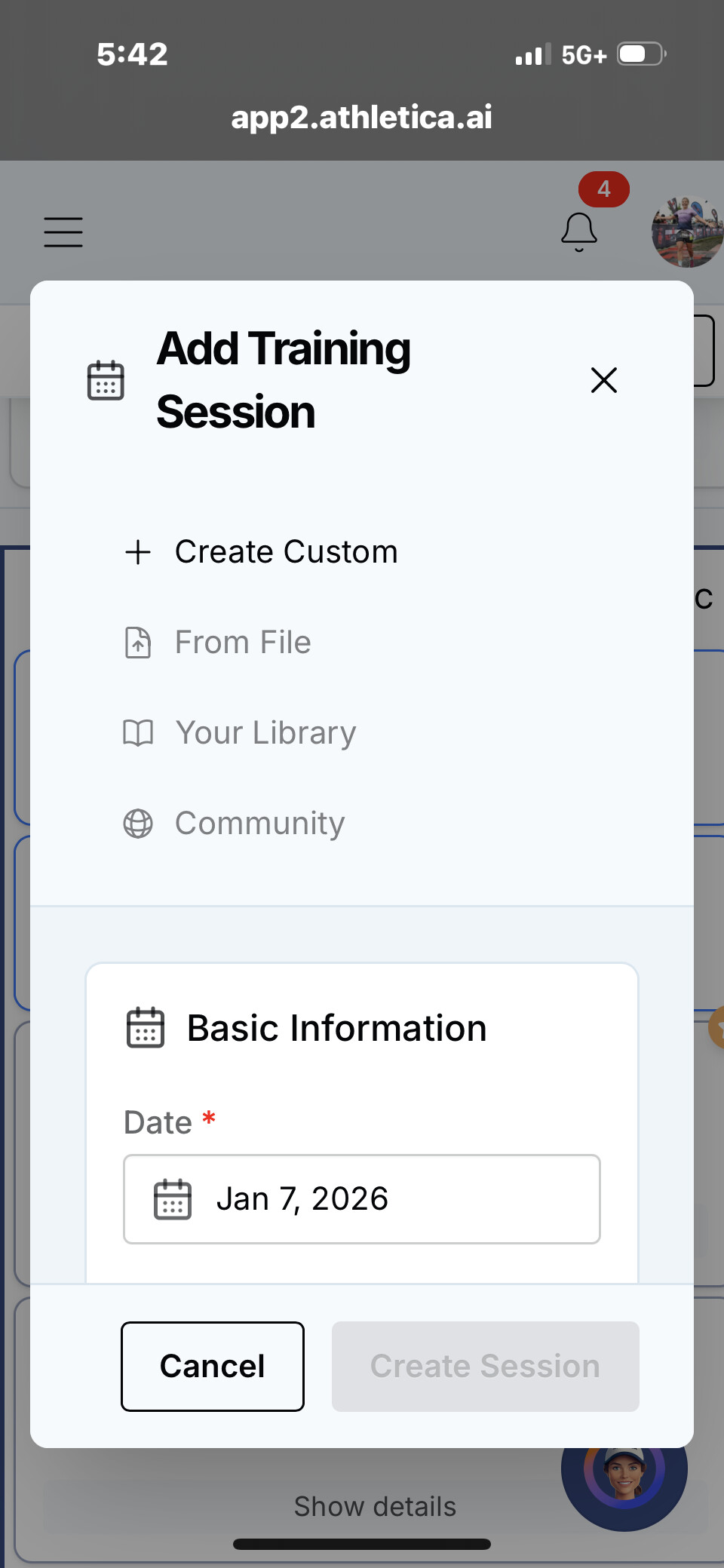
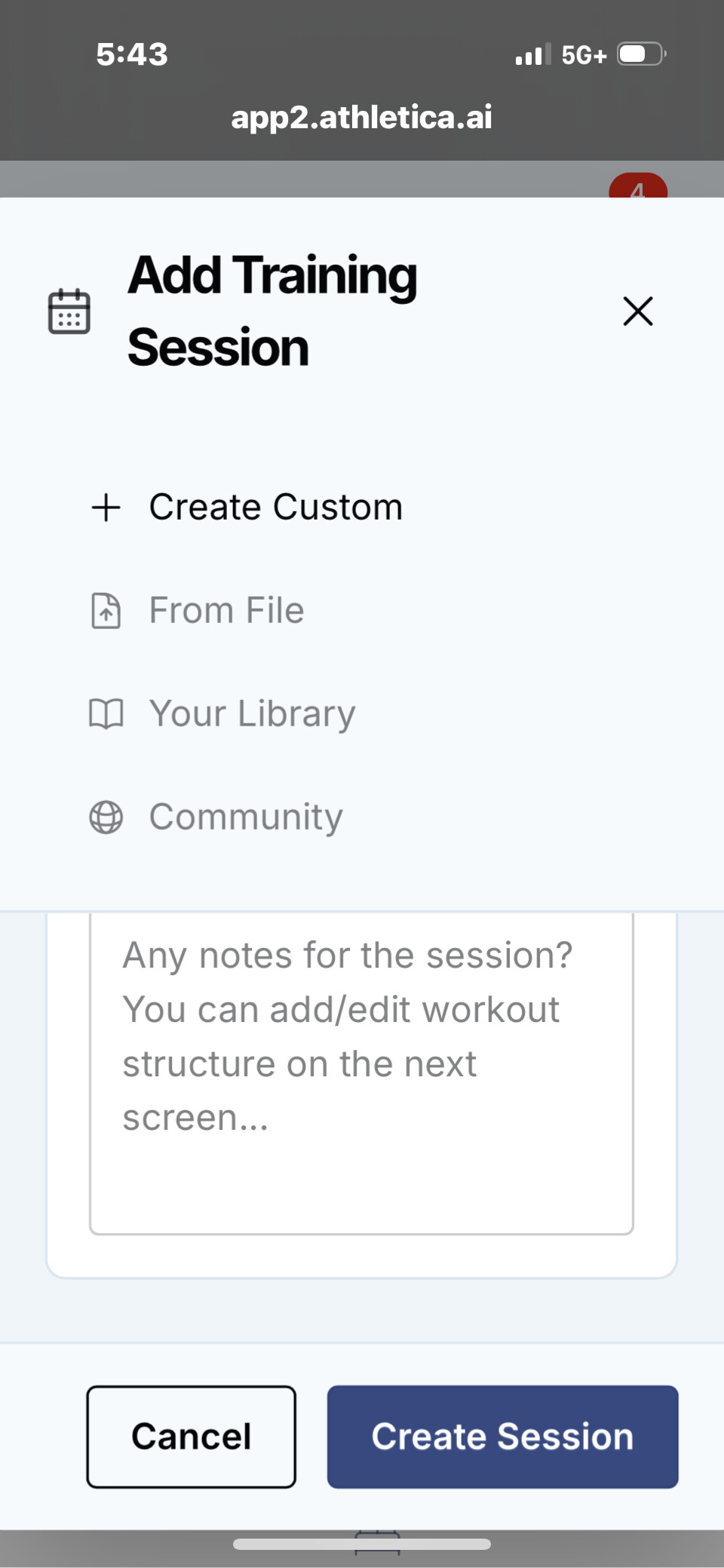
Then open the workout by clicking the title “morning” in my case. Hit that plus sign again.
Add your details (with or without a .fit file).
Save. Voila!! 
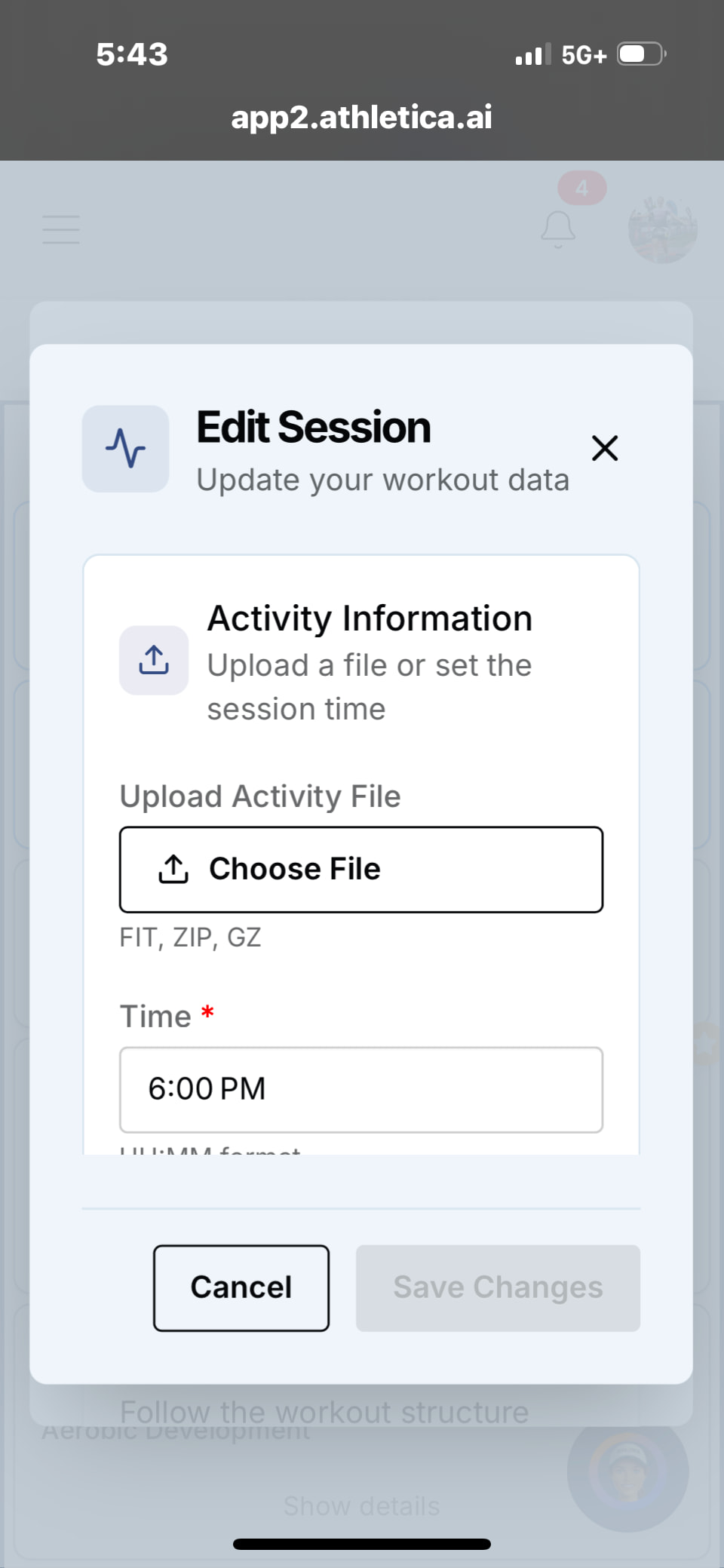
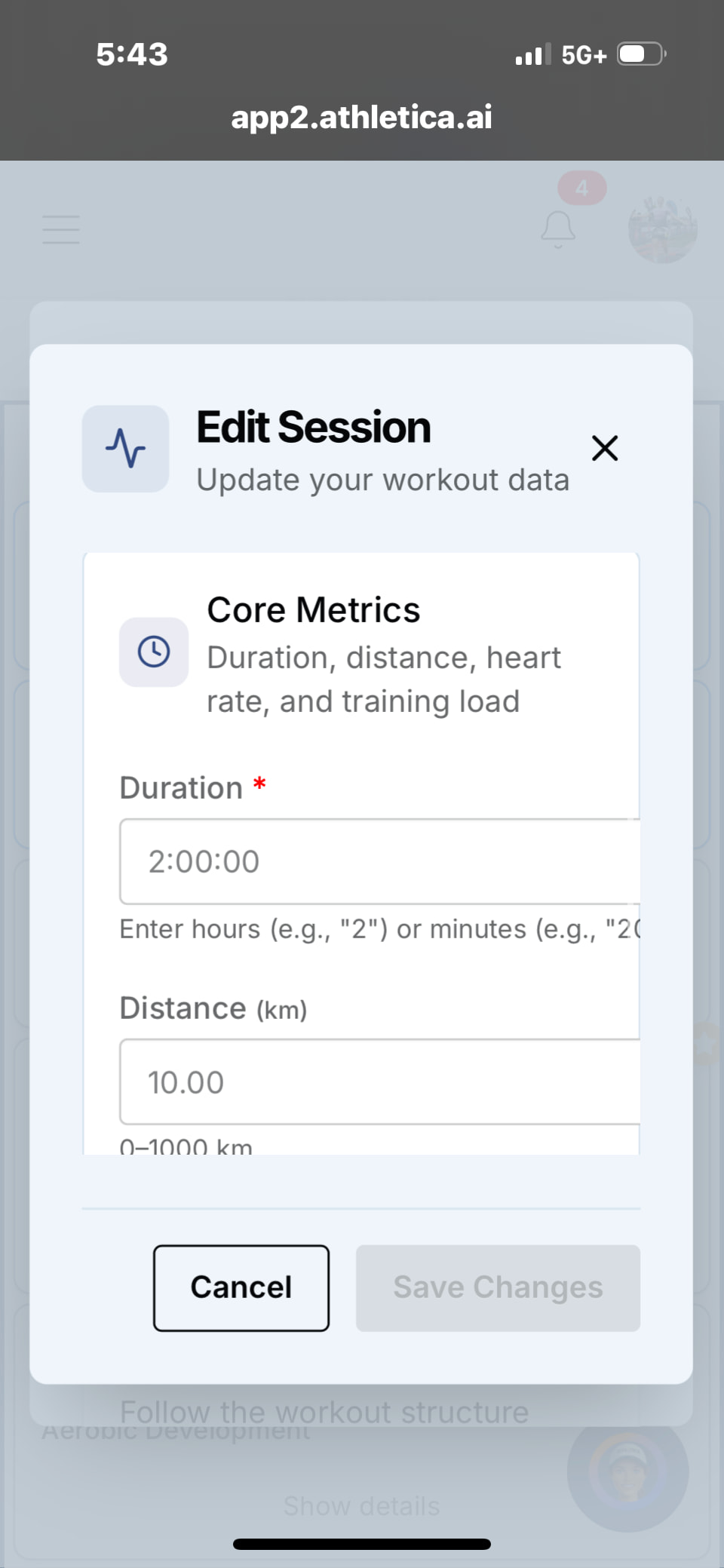

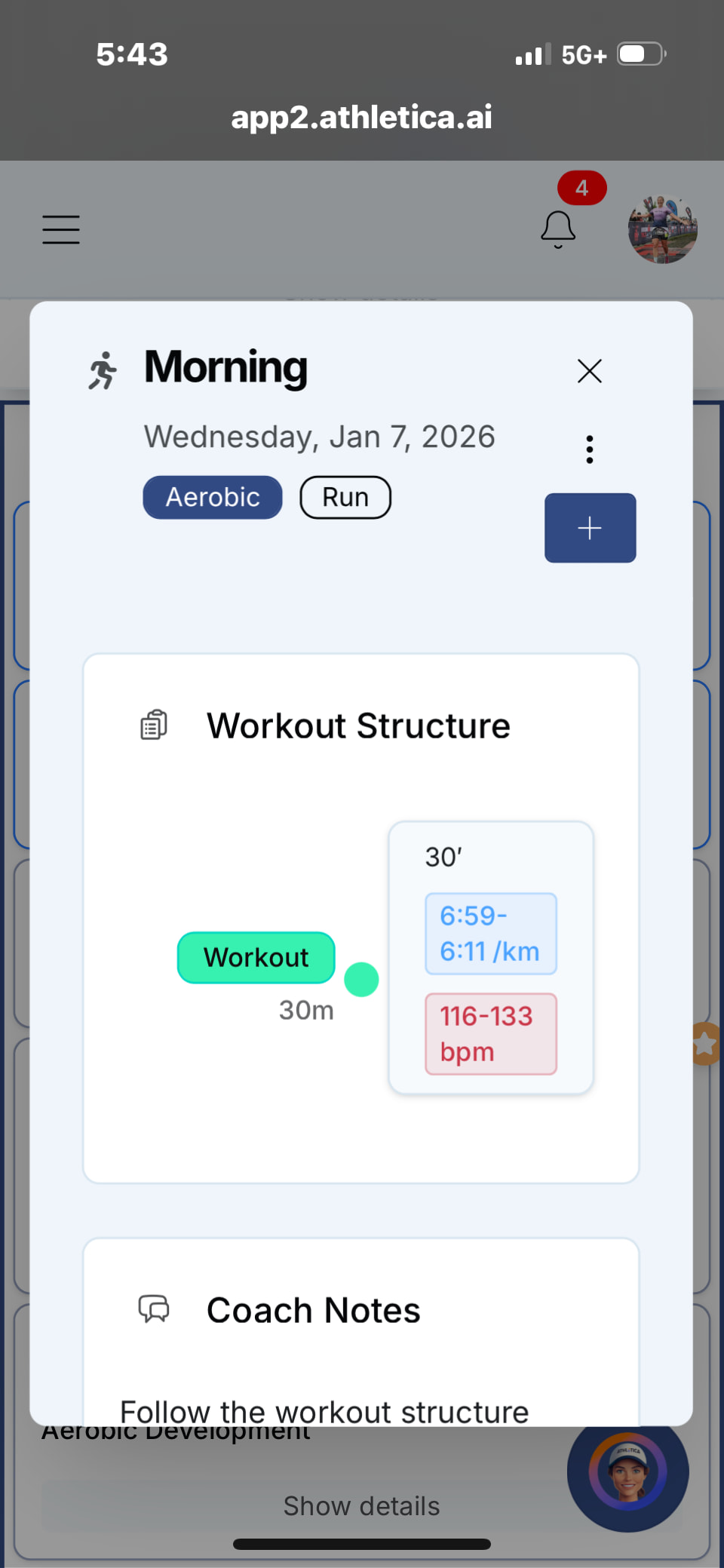
If any issue please report to support@athletica.ai
Best, MJ
Pooka,
Thank you for the recommendations, I was able to manually input my stretch/yoga session.
My primary computer is running mac OS Catalina. Because my iMac is too old to update to the newest OS, I wonder if this why I wasn’t able to find the “Add data” option there. However, when accessing the Athletica website through Google Chrome, I was able to locate it.
When I try to access the Athletica website (through Safari) on my iPhone (iOS 18.7.2), I’m unable to slide to the far left of the screen to log in. I’m curious if others have experienced the same issue,
Thanks again to everyone.
-Joe
1 Like