Just thought I would report this as I have seen it every time I update my plan. I am on a Rowing, mid-level plan.
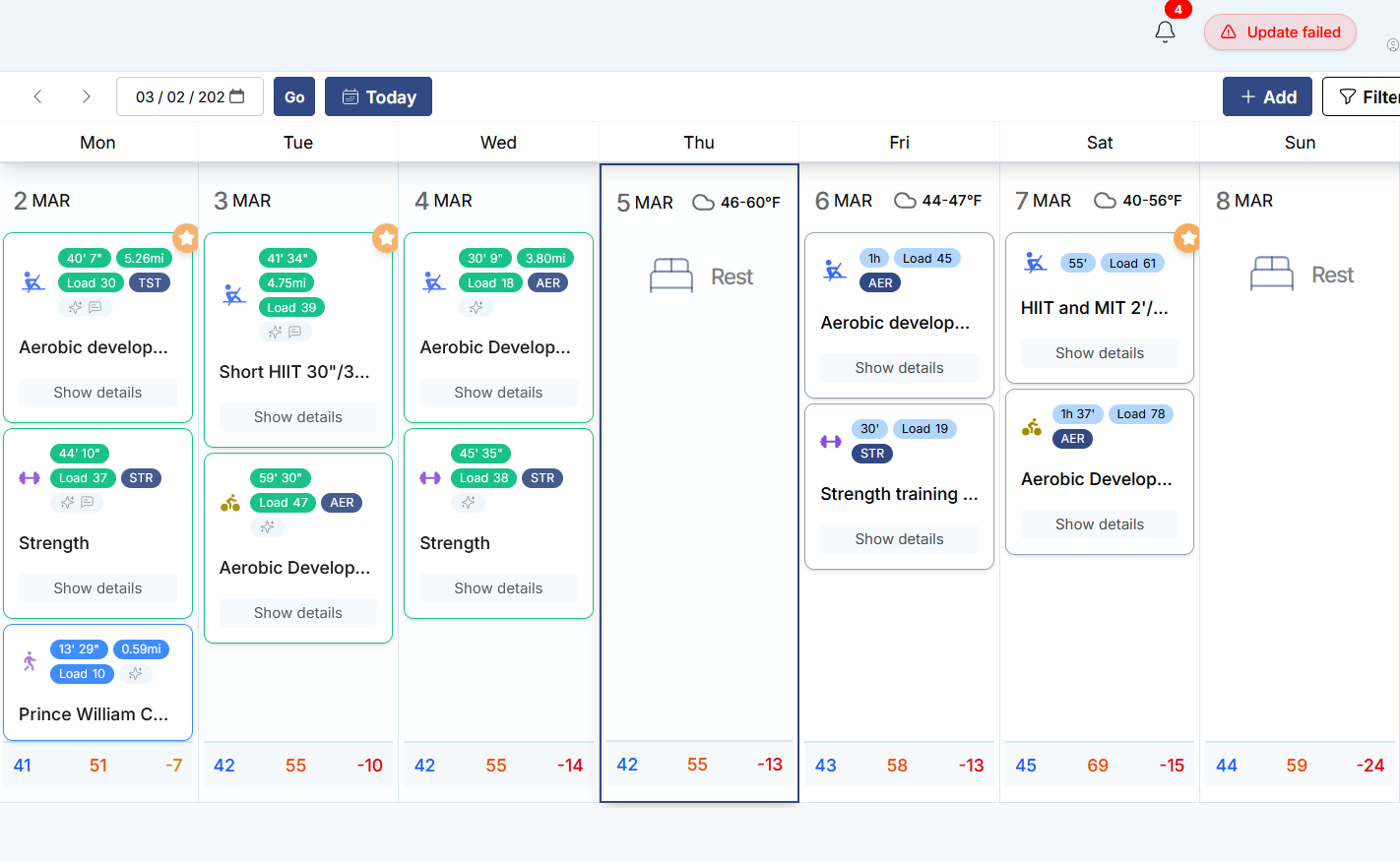
After a rebuild of my training plan, the entire current week is scheduled as a rest week. This happens even if I choose the start today or tomorrow options for the rebuild. Even days in the current week that had completed workouts prior to the rebuild will show as rest days. All future weeks are scheduled properly, it is just seems to be the current week that gets marked as a rest week.
The plan eventually updates the current week, it takes a few hours or so, not sure exactly how long but it does eventually show previously completed workouts and the new scheduled workouts for the current week.
I was able to pull workouts for the current day from the app until the website updated. I have learned to take screenshots of the schedule prior to initiating a rebuild of my plan.
I noticed after I entered a lot of races for Wisconsin Off-road Race Series (WORS) that it gave me three days off and a test week of sorts. It certainly surprised me. Took me awhile and then realized it made a ton of sense. But those rest days I am walking still. And weather dependent may even do a very easy recovery style bike ride. But it is a test week not a recovery week like you are stating. But at first I thought it was a recovery week because of the three day recovery before it goes into test days! Fun, exciting, grueling really mixed but looking foward to what I can do.
I am wondering if you are actually doing a test week instead of a recovery week?
I should have included that I check the Skip Test Week box as I test every 5 weeks or so already and just finished a round of testing about two weeks ago. This is my second year on the platform for rowing and I have found that frequent testing (TST) sessions are needed to keep my rowing profile up to date with my level of fitness. Otherwise, the profile lags behind significantly. An accurate profile is essential to a properly defined/loaded plan as the Plan Builder uses it as the basis for building the training plan.
This looks like a software bug as the Plan Builder used to just pick up where I left off in the current week once the new plan is generated.
I always check the Start Today box as well to start the new plan the same day. The issue I am seeing is that the current week is initially marked as all rest days even for days that I have already completed some workouts in the current week. For example, if I generate a new plan on Wednesday, check the skip test week box, and select the start today option, the plan returns with the first week all marked as rest days. The following week and all future weeks are scheduled it is just the current week that I am in that is marked as rest days. I don’t think the system wants me to take an entire week off especially when the current week is a build week!
However, the issue resolves itself several hours later and I see previously completed workouts for the week as well as newly scheduled workouts. The difficult part is the long delay (several hours) in getting the workouts for the current week/day in a timely manner to continue training.
If I do another rebuild I will post a screenshot. Fortunately, this is not a show stopper. Just something I thought the dev team would like to know in order to increase the response time of the plan builder.
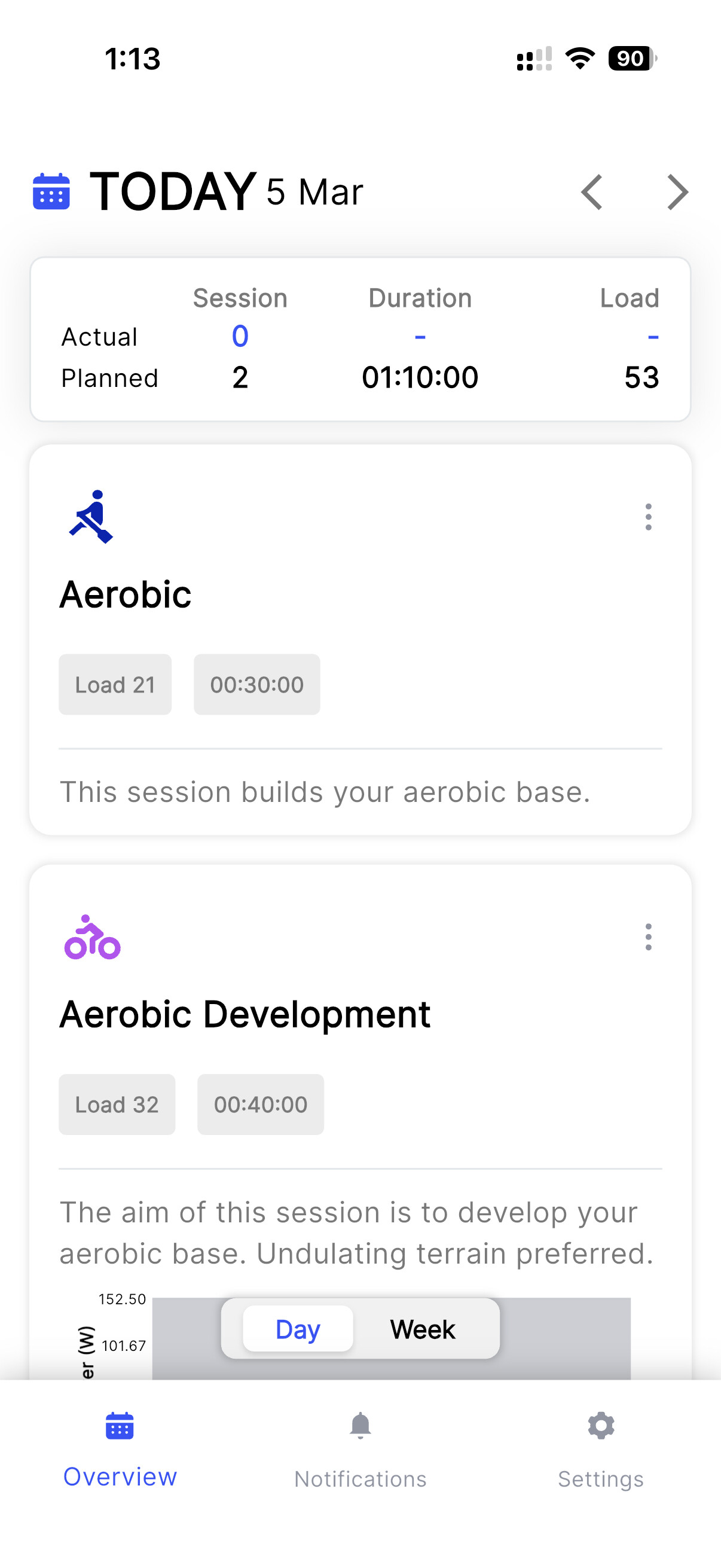
Just tried to update my sessions for today. I added a rowing session and edited the scheduled bike session from 1hr 18’ to 40’. Trying to split the daily load across two sessions to meet my schedule. I get an ‘update failed’ message and schedule shows as a Rest Day. When I go to the app I can see the changes I have made with no issue. Website continues to show the day as a Rest Day while app shows the changes correctly. I added a row session with the same result. I need to edit the row session but I cannot as the app does not allow that function and the session does not show at all on the web interface. Can someone please assist? There is definitely an inconsistency with website and the app with the app updating correctly. I have cleared temp pages and cache as well as tried Edge and Firefox browsers with the same results.
@Fracmo
Do I read correctly that your Web-App says in the top right corner: Update failed?
Perhaps logging out, clearing the cache of the Webbrowser and logging in again might get the weabapp to update properly?
Tried that on pc and on my iPhone. Used two different browsers on both with cache and temp files cleared. The system updated the web UI at about 8:30pm EST last night. I did not initiate or refresh the browser, it updated on its own. Must have been a back end process that finally refreshed the web UI after a few hours.
Keep in mind that the iOS based app worked fine. I am only seeing this on the web UI on both phone and PC browsers. I have opened a support ticket waiting for a response though.