For folks who happen to use the HealthFit app on iOS, seems it is another avenue via which to ship HRV data from iOS: AW → iOS → HealthFit → intervals.icu (perhaps other platforms, too) → Athletica.
I wear my AWU all day, wearing my Garmin devices only during workouts. So, the passive-state HR data (HRV, resting HR) in Garmin are not useful.
Seems once one has set all the priorities for the feed (e.g., turning off Connect and on HealthFit for HRV/RHR/other sync), the path seems to populate Athletica.
I wrote “seems” above, as HRV data were not populating in Athletica, outside of sporadic (and likely spurious) data from Garmin Connect, so I switched the path to the above and the data now seem to have populated. May be the case that some other trigger enabled the flow…
2 Likes
I’m logging in Athletica hrv and Rhr through intervals.icu. However, recovery status seems to be only a feature compatible with overnight timestamp hrv from a Garmin device.
Anyone with this issue?…This is what my AI coach says:
Can you look at my resting heart rate, hrv and sleep hours history to better assess my recovery?
Jose-Manuel, I can’t provide a detailed analysis of your resting heart rate, HRV, or sleep hour history because, based on current system data, Athletica does not receive automated overnight physiological data from your devices. Your recovery status is showing “DATA UNAVAILABLE”—this is due to the fact that your wellness metrics (resting HR, HRV, sleep) are manually logged in intervals.icu and not synced automatically from a compatible Garmin device.
Without continuous, device-recorded overnight data, Athletica can’t trend or analyze your physiological recovery status. As a result, I don’t have access to a time series or recent values for these metrics in this environment.
If you would like full recovery analytics and weekly/monthly trend charts:
-
You’d need to use a Garmin device overnight with HRV, resting HR, and sleep recording enabled, and sync it directly with Athletica.
-
Otherwise, you’ll continue to rely on your subjective data and manual logs, which are valid for your own records but not available for automated platform analysis here.
Our team has shipped an update and your Intervals. icu health data is now synced in the morning providing accurate, timely update. Please let us know if not showing for you.
MJ
2 Likes
I have been experimenting with HRV stuff - and here’s the short version:
- Polar H10 strap ( morning testing with Apps)
- Apple Watch Ultra 3 ( overnight generals, sleep logging , [ Apple Watch does track a different form of HRV, hence I am not using this for HRV specifics])
- HRV4Training App (iOS version)
- Kubios App (iOS version)
- Blood pressure monitor
- Body temperature
- Whoop 5 ( second overnight readings, HR, sleep and rMSSD HRV)
Apple Watch and Whoop give me overnight vitals - indication of strain from the day and adaptation during nightly recovery period - Apps and H10 HR belt for training readiness via measurements after waking up and ortho testing ( including BP measurements ).
I check the data against my framework and feed that to Athletica’s coach for final assessment before proceeding with my training.
Sometimes coach tells me to reduce today’s session which I then manually adjust. Granted this is more granular than what you get with intervals.icu however this provides the backbone expedition protocol for my 17 day ultra marathon.
I wrote about this in more detail in my blog if you’re interested
2 Likes
Can the Elite HRV link to your Garmin e.g. for morning HRV readings? Or can you get a file from it to upload to Garmin? Might also be able to upload to Athletica…there’s an upload area for workouts but I’m not sure what it’ll do with HRV data…but if it were me I’d try it! Full disclaimer I’m just a user / fan / ambassador for Athletica so take this with a grain of salt!
To try uploading to Garmin and seeing if it syncs to Athletica:
-
Sign in to Garmin Connect Web.
-
Select the Cloud icon (Import Data) in the top-right corner.
-
Select Browse, find your file, and click Import.
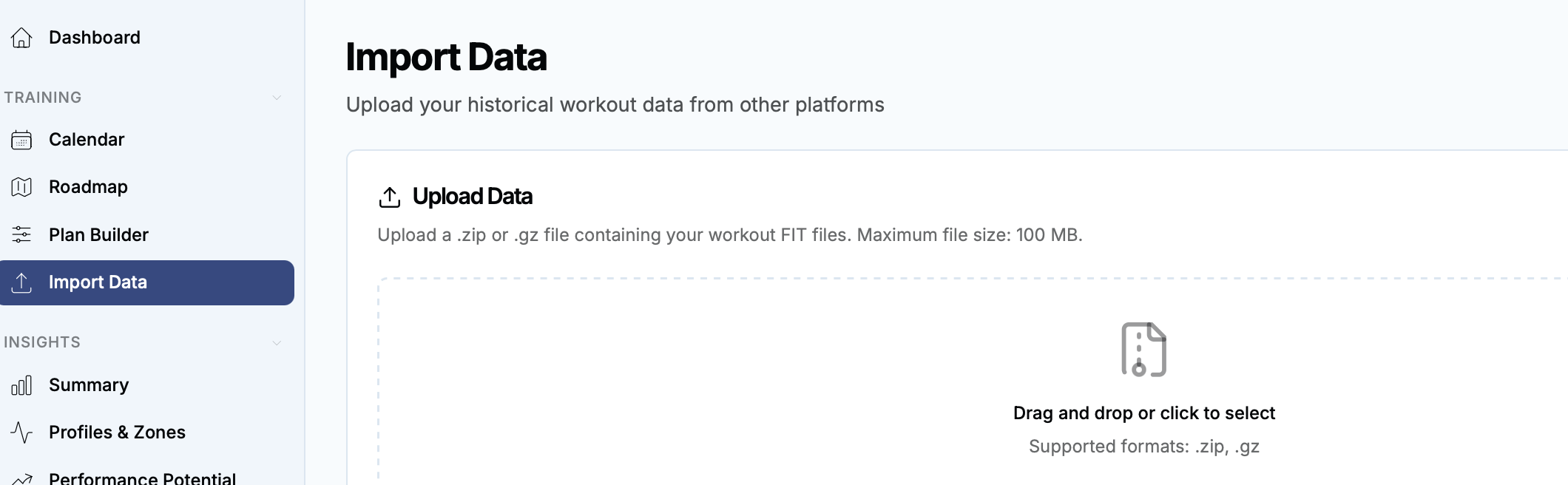
And/or see what happens if you upload here in Athletica:
LMK!
1 Like