I have a problem concerning renaming a Workout session:
When I rename the planned session in Athletica even before sending it to Garmin Connect, the change does not appear in Garmin connect.
What makes it even more difficult ist that the workout names are not “self explanatory”.
From my point of view it would help if the workout name does include the source (e.g. ATH, followed by the workout type (e.g. CYC or BKSTR) followed by the Category (Short HIIT, Threshold - this is already implemented I think) followed by the Workout Time (e.g. 2:38)
Currently, I have a lot of Workouts in my Garmin Training list that are all named “Aerobic Development” - and there is no possibility in Connect to differentiate between the session and find the right one on the Edge 840…
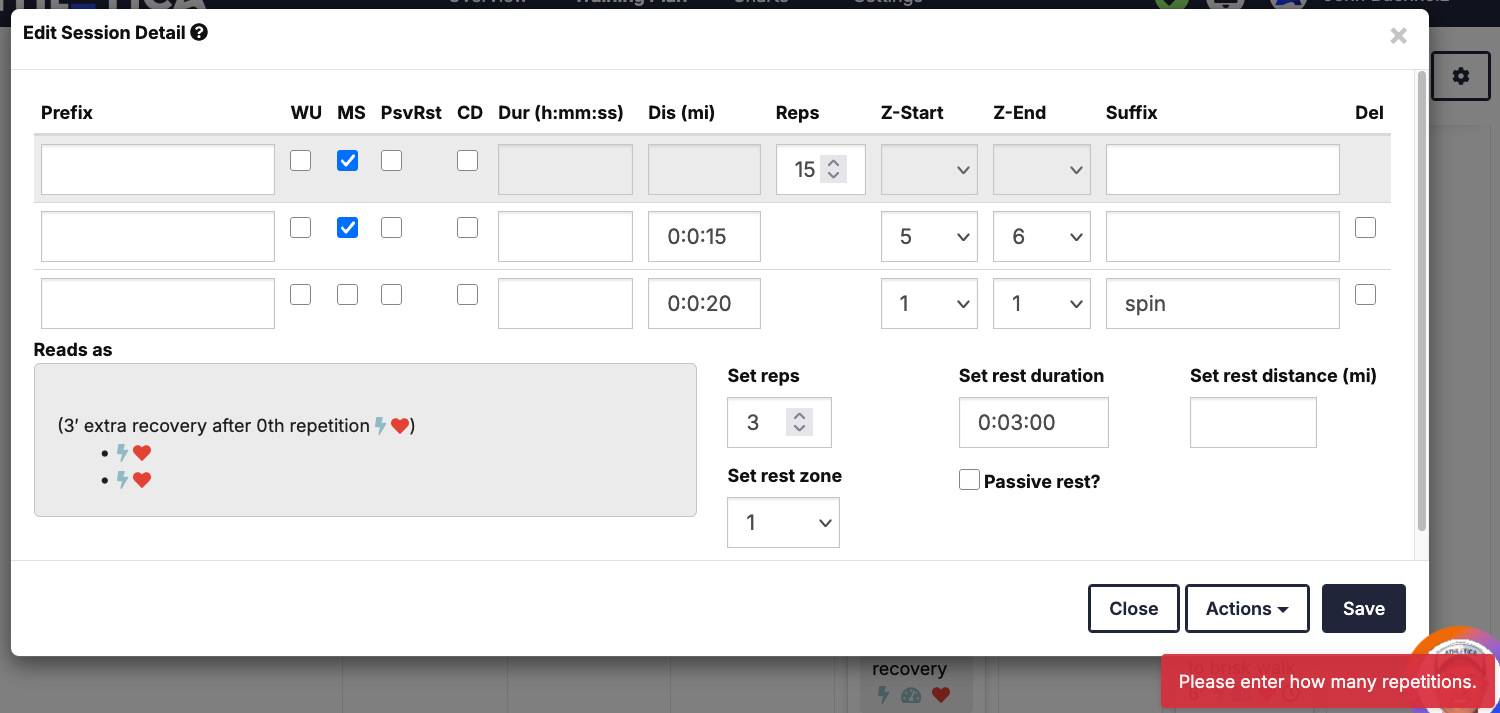
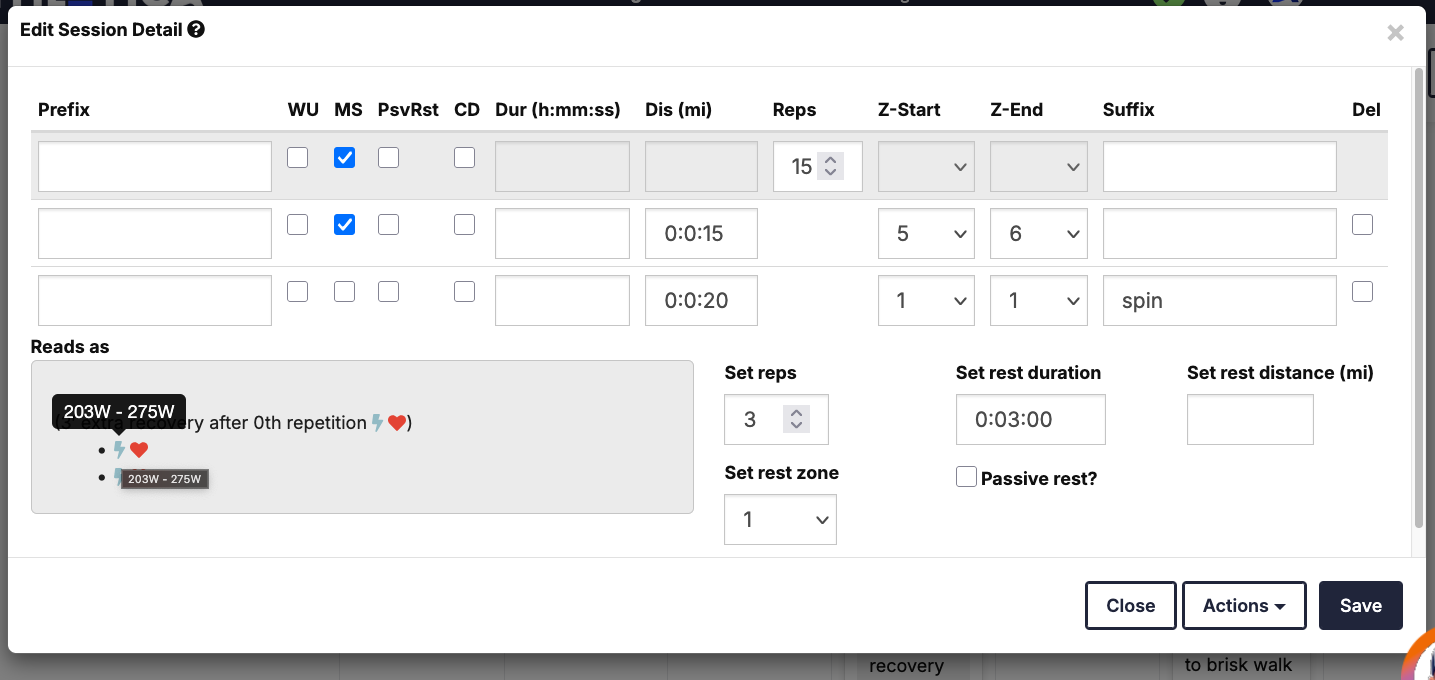
I was trying to add a couple of intervals to my VO2max sets this morning and every time I made the change and clicked save the workout would not be updated. I didn’t get any error messages when trying to update existing intervals but when I tried to add a new set I got a ‘Please enter how many repetitions.’ error (first screen shot). Also note that the ‘Reads as’ section does no properly mark the set as a Main Set even though that checkbox is clicked, nor does it show duration for either interval, nor does the rest interval show the suffix of ‘spin’. If I hover over the lightning bolt for the hard interval it shows the original Z2 range (second screen shot).
It seems like some of the UI fields aren’t being read properly?
New Bug:
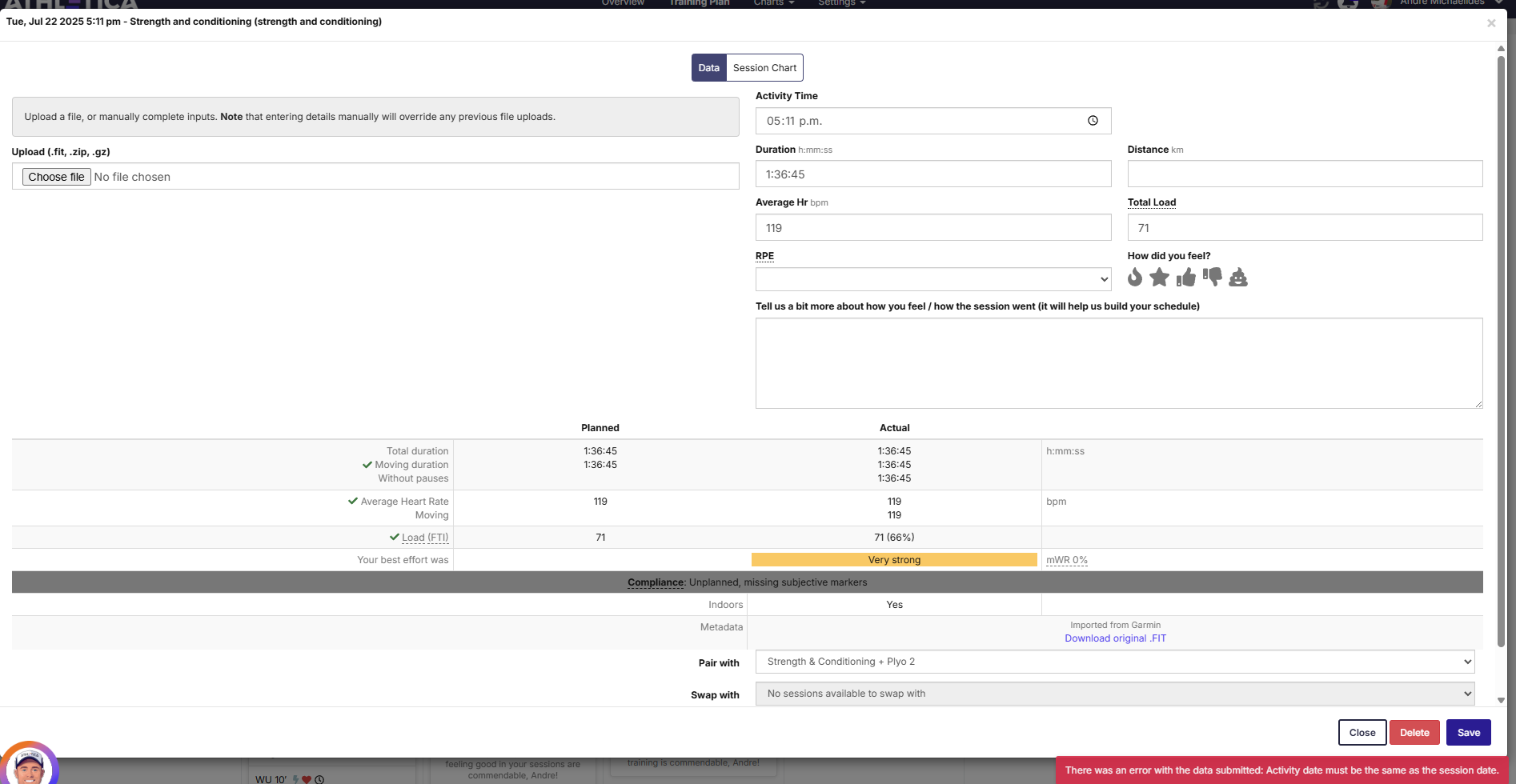
On the website, NZDT timezone, Chrome, you can’t move or add feedback to a session, it says:
“Session log date does not match requested move date”
and i can see the day before in the session instead of the day it is living in.
Works ok on iOS app.
Cheers Andre
Any chance for a screenshot showing please @AMNZ ?
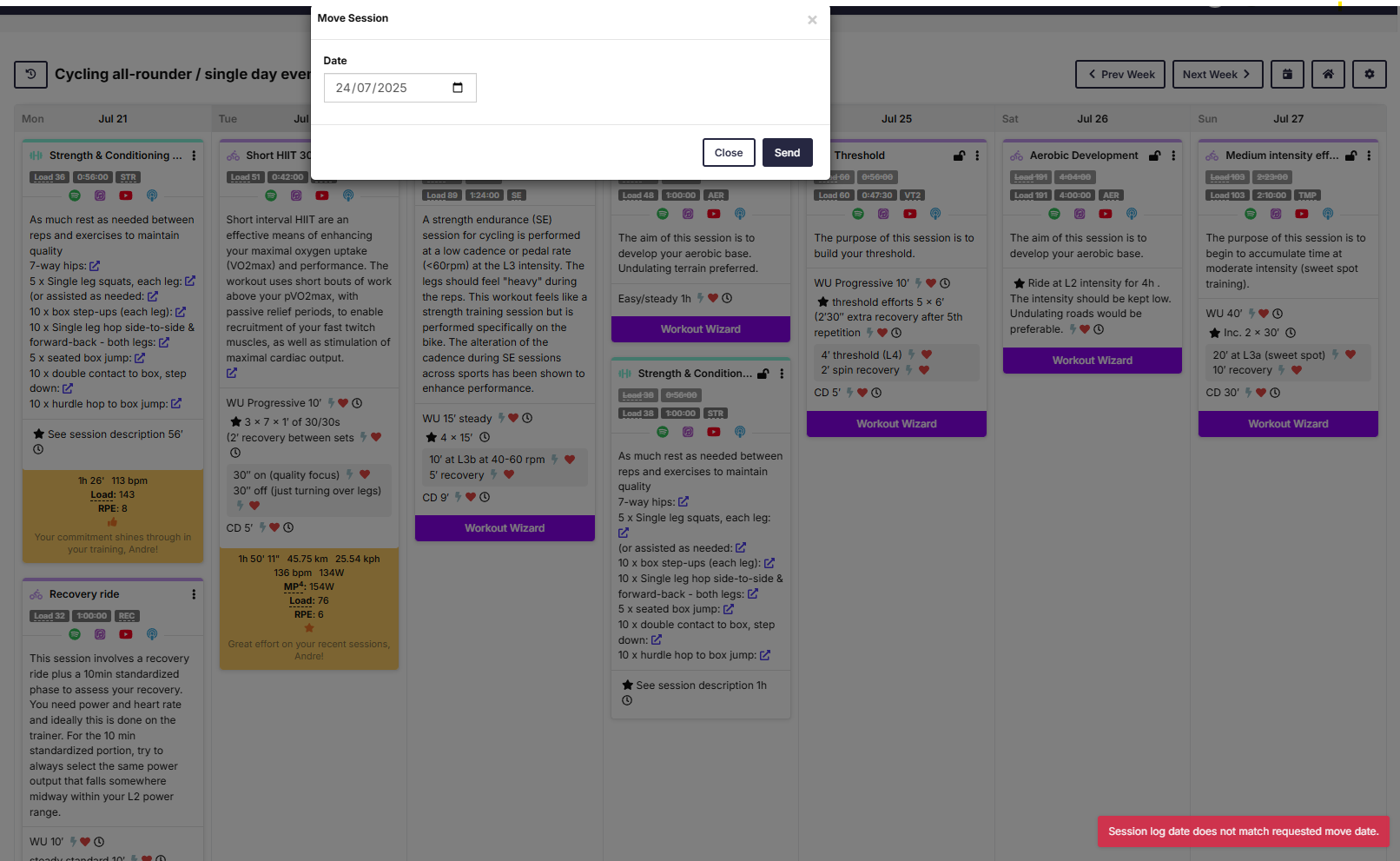
Thanks @AMNZ … and just to be clear, which of those sessions did you toggle to try to move? All of them behave that way?
seems inconsistent. Drag and drop works. But move to another week fails for sessions more than a day in the past. (I can’t move Monday’s recovery to Thursday 24th, this week)
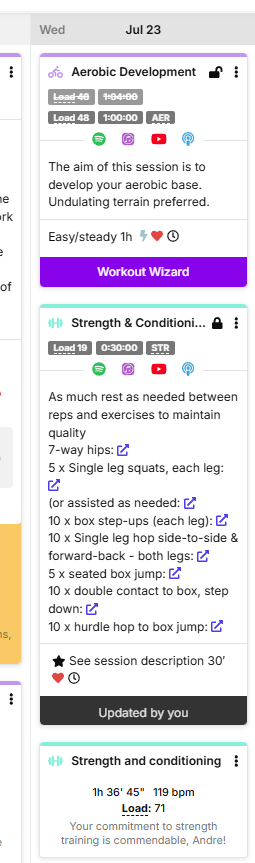
Another manifestation of it, I can’t update feel or session pairing on today’s weight session (Wed 23rd 5 am.)
Same error. If you look at the top left of the session, you can see it thinks it was 12 hours ago Tuesday 22nd 5pm, (maybe UTC?), I’m NZST which is UTC +12.
Cheers.
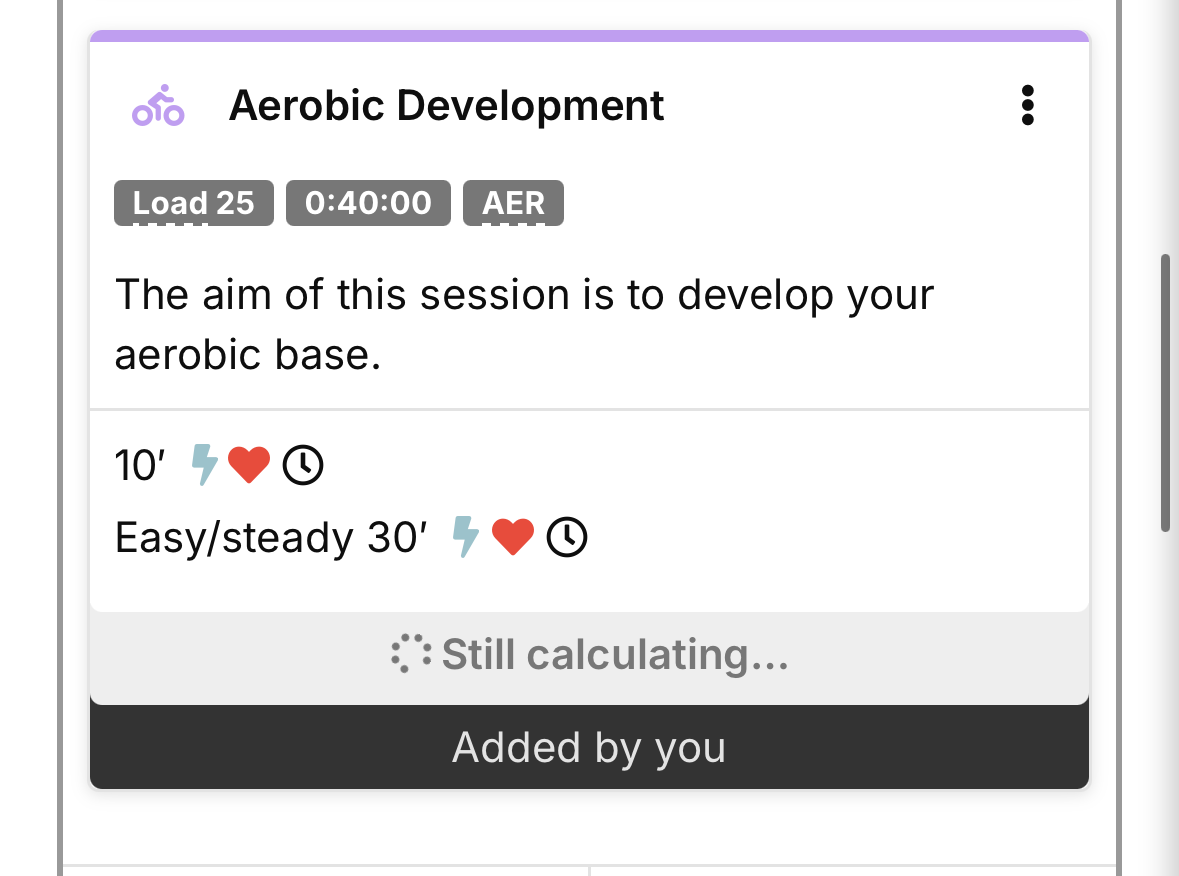
My ride this morning (Trainingpeaks Virtual) isn’t syncing to Athletica. It has synced to Garmin and TrainingPeaks, as usual, but not to Athletica. On Athletica it is also doing something I haven’t seen before and the planned ride is stuck on “still calculating”
Quick update, it is now saying “missed” despite it being for today, and the other workout for today, a swim, still showing as normal (yet to be completed)
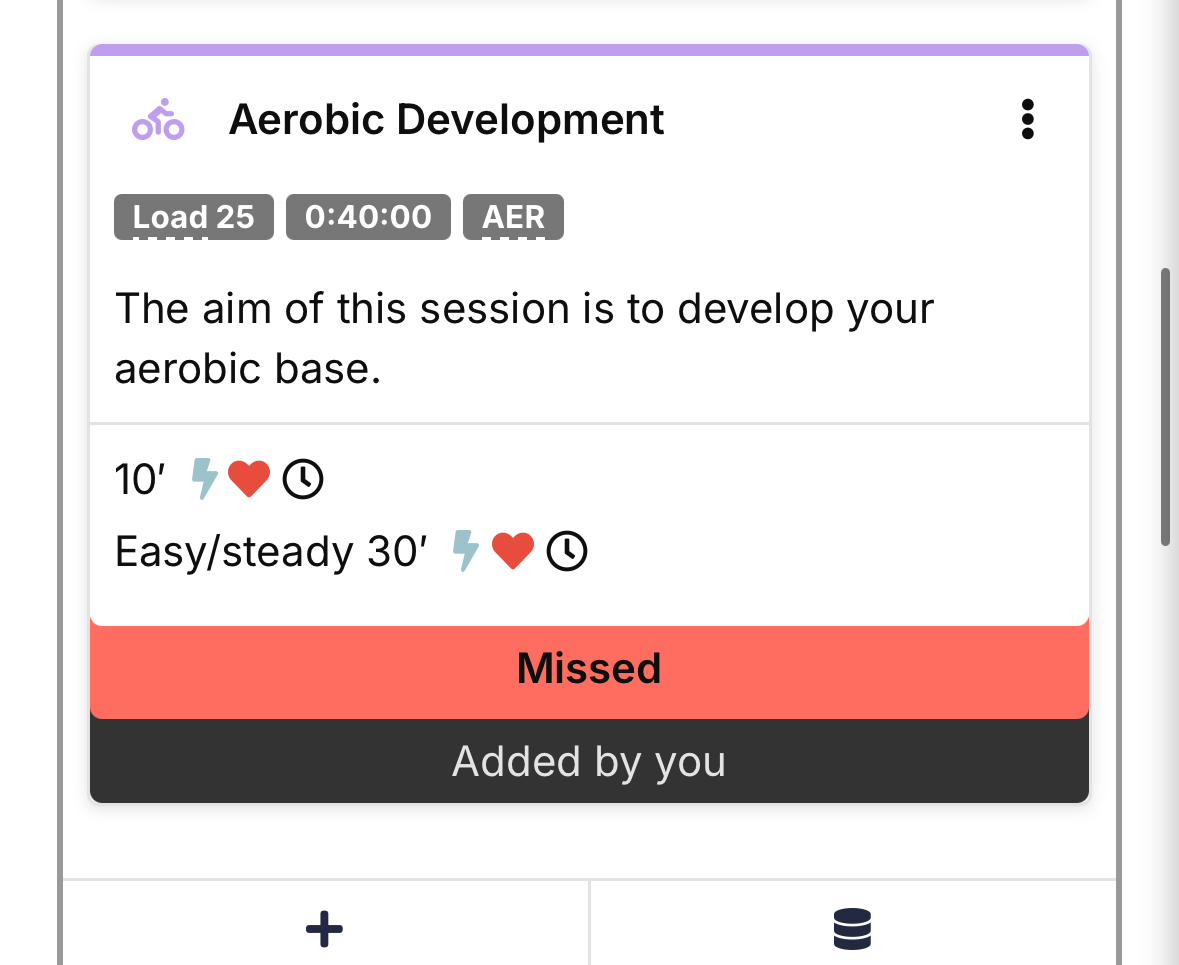
Yep my ride just now made today’s session get marked as missed but showed no data. Tried unpairing but didn’t sync over the ride.
Hi all,
As reported above (thank you), there are delays with sessions appearing or updating. We’re aware of the issue and are actively working to resolve it as quickly as possible.
Thanks for your patience — we’ll update you when things are back to normal.
Any update? My ride yesterday went though fine but the one the day before did not.
Is there something wrong with the fitness/fatigue calculations? My numbers are all green, not increasing fitness but in fact seem to be losing fitness, but I’m still getting the warnings EVERY day that I’m in danger of overtraining. It’s been going on for weeks, and I didn’t post sooner thinking it just needed to settle down as it logged my workouts, but it continues to put me in what seems to be the wrong direction:
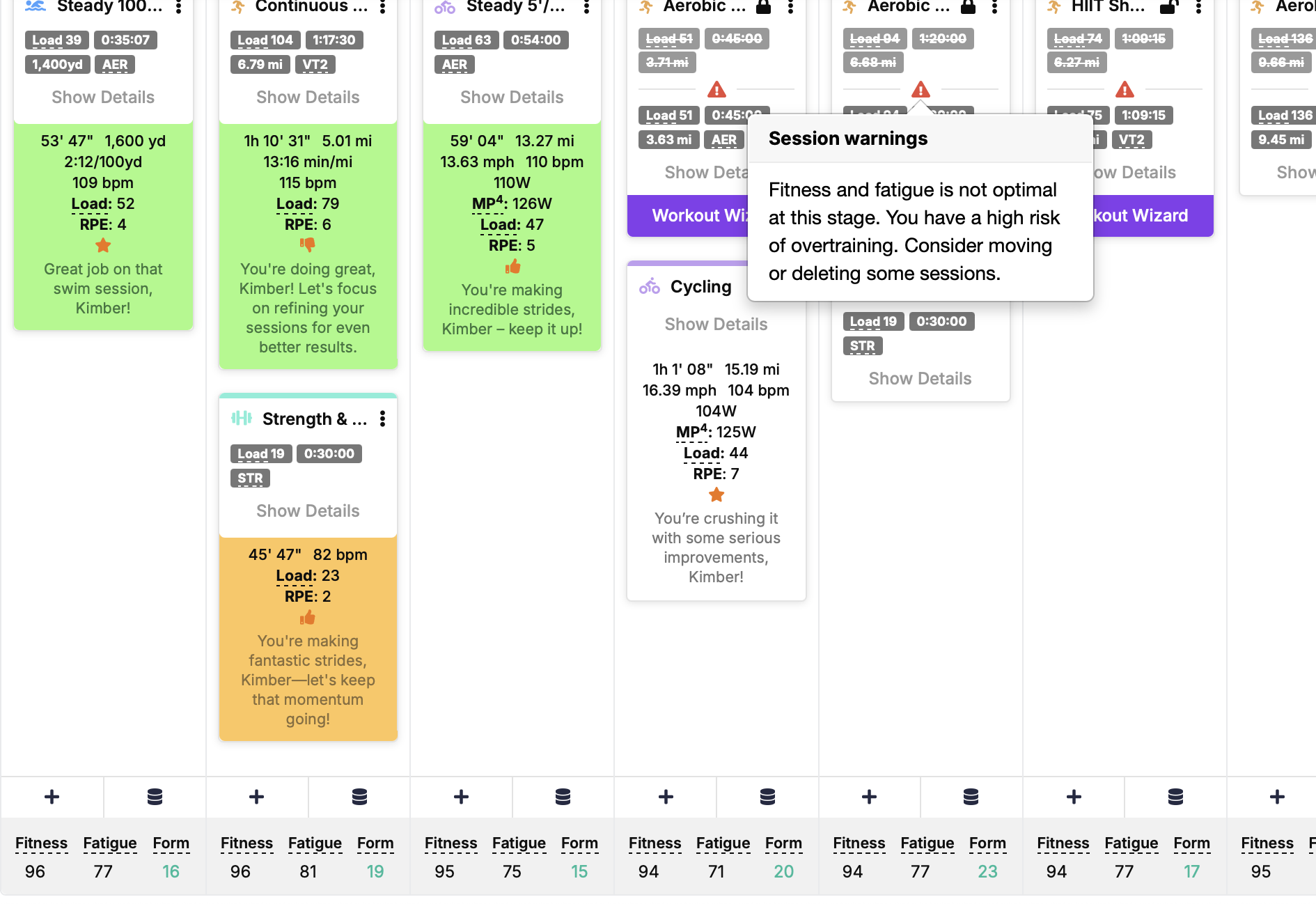
It also decreased my overall load 5+ weeks ago when swapping from triathlon to running only, went from 10-14 hours a week down to 7-9 and lower load, which put me in the green, it’s never recovered. Please let me know your thoughts. Thanks!
All of a sudden running workouts are syncing to Garmin using power, which is useless for me. I’ve tried letting AI coach choose and I’ve tried prescribe by pace, but I still get it using power. What happened?
@Plastic6825 and @SBR123 sorry to hear this. Could you please check something for me? In your Profile Settings, is “My Device supports running power” toggled? Also check the Default running prescription please, and let me know here.
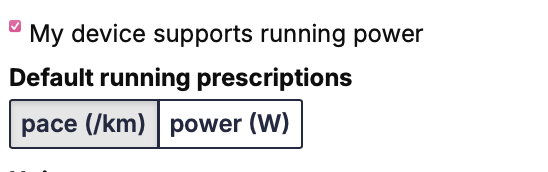
Thank you 
MJ
Reported this bug with the dev team @kimberg
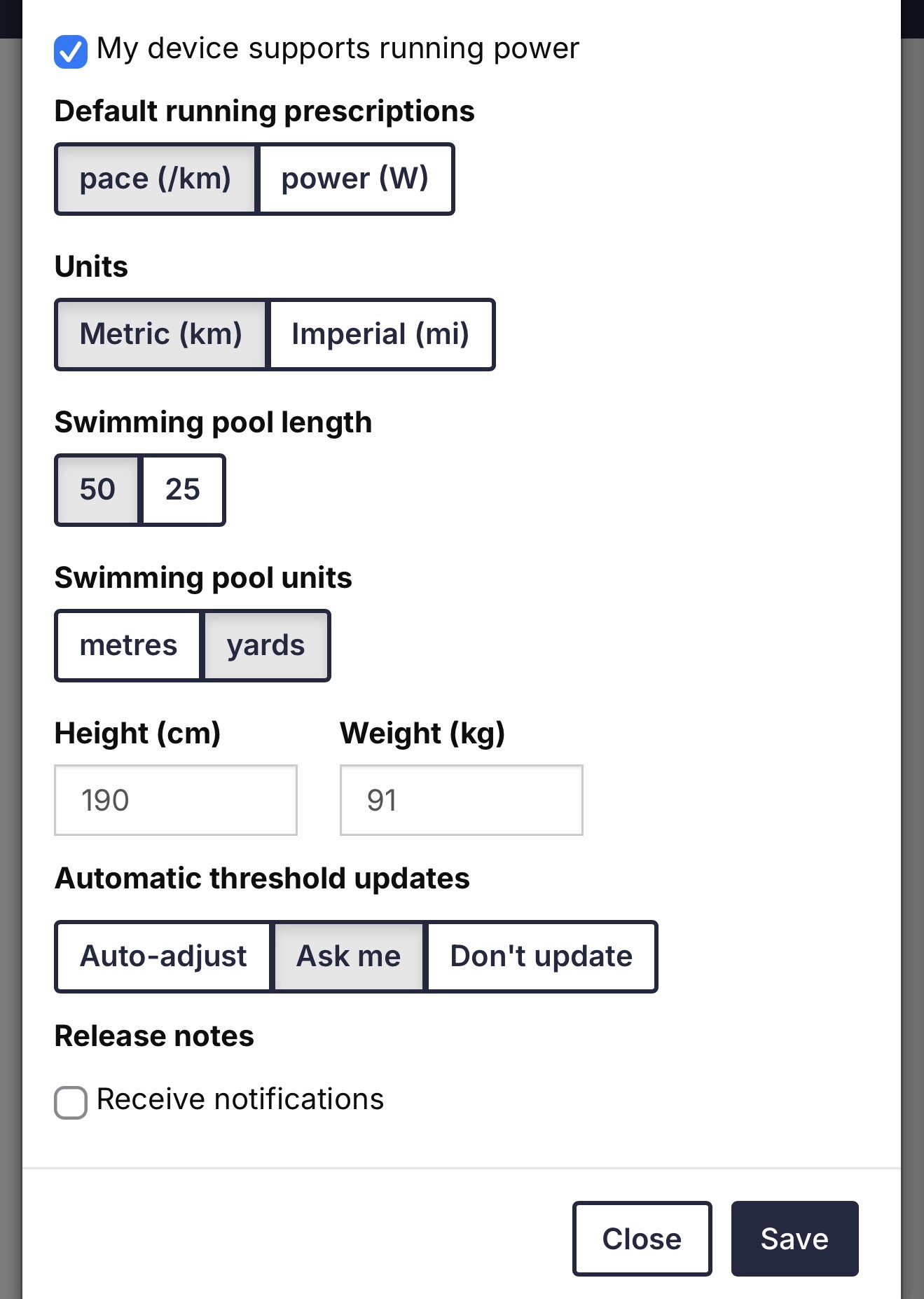
Hi Athletes,
To help us resolve technical issues more efficiently and keep things running smoothly, we’re officially closing the Bug Reports thread here in the forum.
If you experience a bug, glitch, or anything not working as expected, please head to:
That’s the best place to report issues directly to our support team — and ensures we can track, prioritize, and fix things faster.
** Need Answers Fast?**
Before you submit a ticket, you might find the solution instantly in our growing library of Knowledge Base articles, covering topics like:
 How do I change my thresholds?
How do I get my Athletica workouts to appear in Velocity/Zwift/TrainerRoad?
What if I miss a workout or need to adjust my training plan?
What devices and platforms can I connect to Athletica?
Explore answers at:
support.athletica.ai > Help Center
The Forum Still Matters!
This forum remains your space to:
- Share training journeys
- Ask questions about training strategies and general advice
- Support other athletes using Athletica
- Share your race reports:
We’re here to support your athletic journey — and focusing our bug triage through support helps us do that better.
Thanks for helping us streamline and improve the experience for everyone.
– The Athletica Team
#TrainSmarterNotHarder